
11
VIEWS
·
3
COPIES
·
1
LIKES
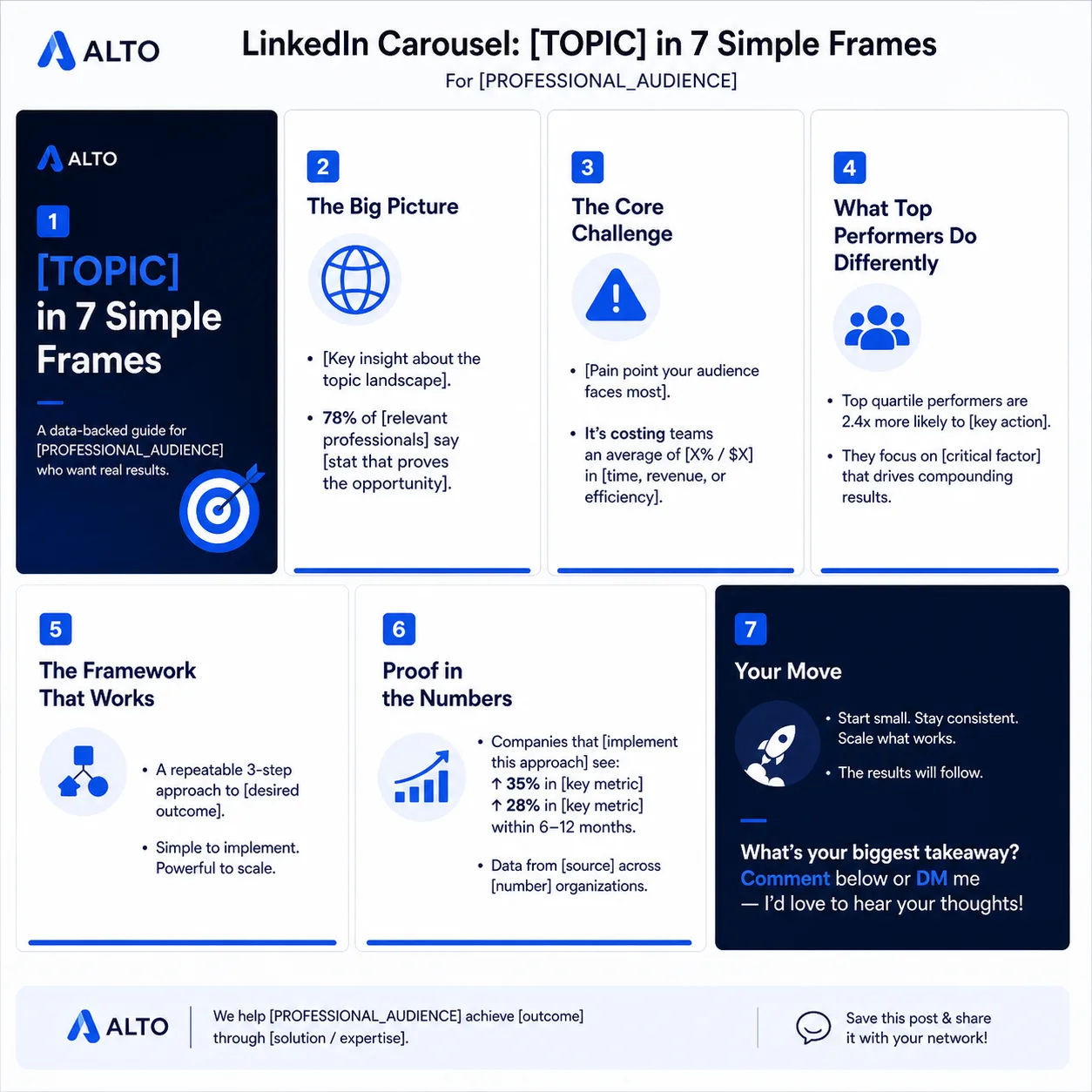
LinkedIn Thought-Leadership Carousel
Create copy for a 7-slide LinkedIn carousel titled “[TOPIC] in 7 Simple Frames” aimed at [PROFESSIONAL_AUDIENCE]. For each slide, provide a slide title and 1–2 punchy bullet lines. Emphasize authority, data points, and a final CTA to comment or DM.
Share this prompt
11
VIEWS
·
3
COPIES
·
1
LIKES

Log in to leave a comment.
More Like This
See all →


How to use this prompt
“LinkedIn Thought-Leadership Carousel” is a ready-to-use Marketing prompt that gives you a strong first draft instantly. Paste it into ChatGPT, add your details, and refine from there.
- Tap Copy above to grab the full prompt.
- Open ChatGPT (or ChatGPT, Claude or Gemini) and start a new chat.
- Paste the prompt and replace any bracketed parts with your details.
- Send it, then refine with quick follow-up messages.
Tips & variations
- Tell it your audience and tone so the output matches your brand voice.
- Follow up with “make it shorter/punchier” to tighten the result.
- Paste an example you like and ask it to match that style.
Frequently asked questions
It’s written for ChatGPT, but ChatGPT, Claude or Gemini handle it well too. Pick the assistant you already use and refine from there.
Yes — every prompt on the site is free to copy and use. You only need an account with the AI tool you choose to run it.
The prompt is free, but commercial rights depend on the AI tool you generate with. Most paid plans allow commercial use — always check that specific tool’s licence and terms first.
Replace the bracketed or general parts with your own topic, audience and tone, then ask follow-up questions to steer the answer.