
20
VIEWS
·
0
COPIES
·
1
LIKES
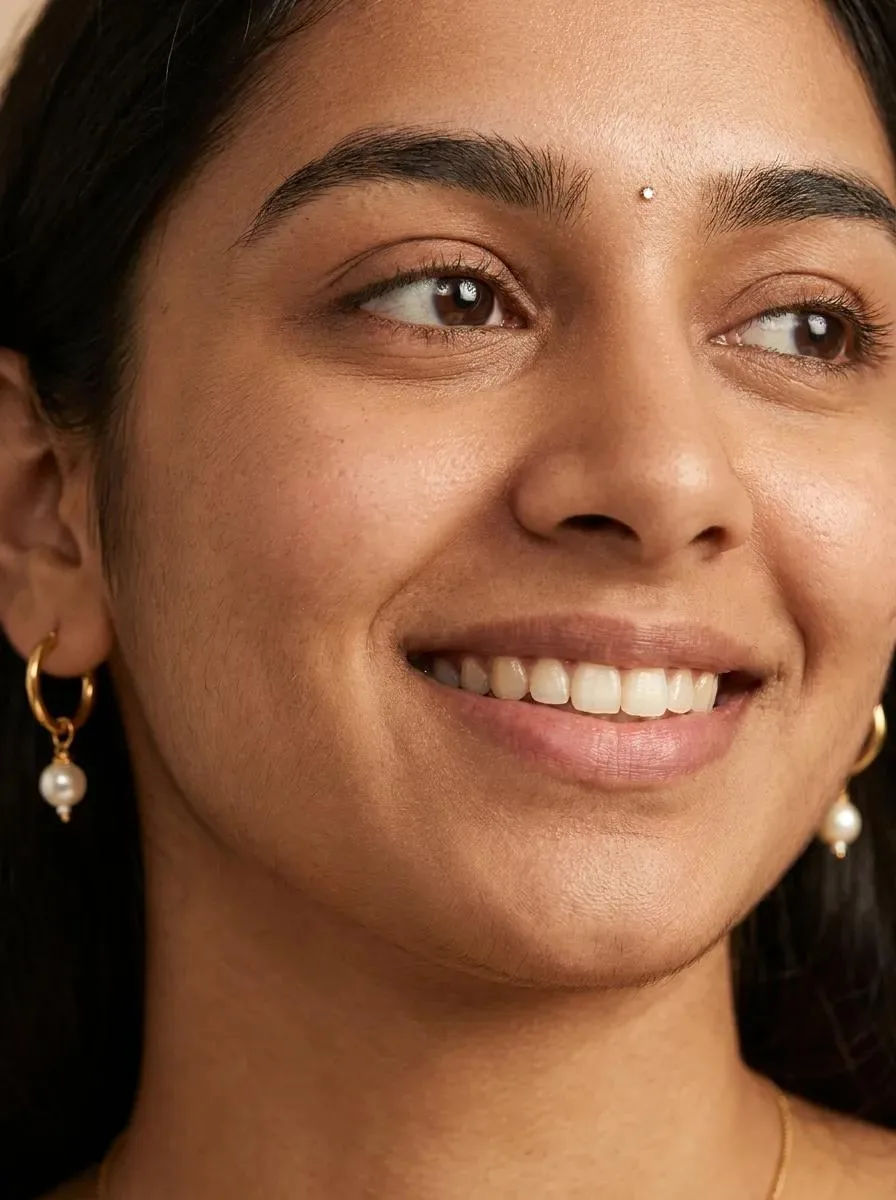
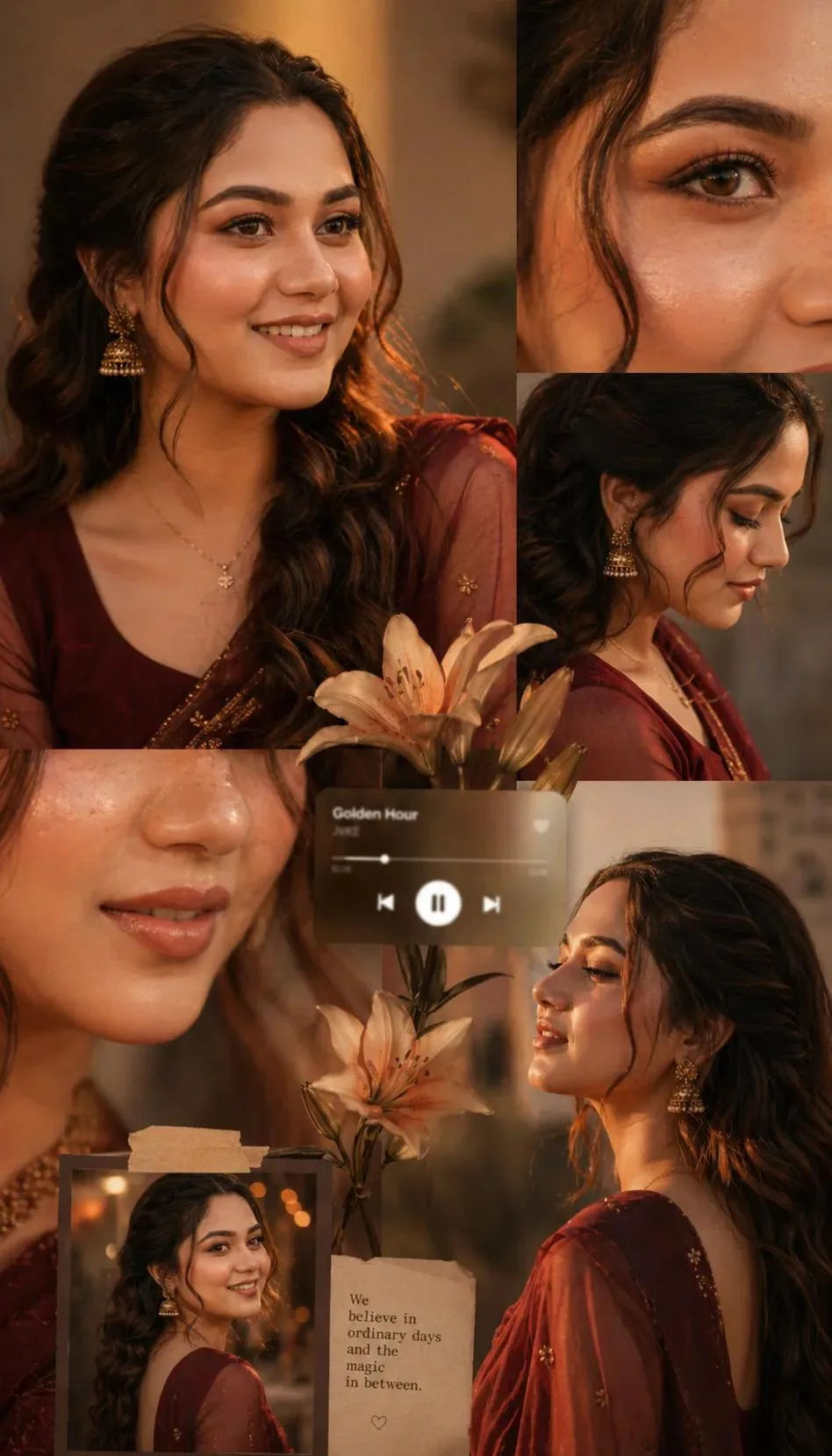
Create an Ultra-Realistic Extreme Close-Up Beauty Portrait with This AI Prompt
An ultra-realistic extreme close-up beauty portrait of a young Indian woman, captured in a refined editorial style. The frame is tightly cropped from the top of her forehead to just below her lips, focusing intensely on her facial features, jewelry, and skin texture. Her face is slightly angled to the right side of the frame, with her gaze directed off-camera, maintaining a soft, joyful smile that feels natural and candid.
Share this prompt
20
VIEWS
·
0
COPIES
·
1
LIKES

Log in to leave a comment.
More Like This
See all →
How to use this prompt
“Create an Ultra-Realistic Extreme Close-Up Beauty Portrait with This AI Prompt” is a ready-to-use Image AI Prompts prompt designed to produce a polished, share-ready visual. Paste it into Gemini and you’ll get a detailed result in seconds — no prompt-engineering experience required.
- Tap Copy above to grab the full prompt.
- Open Gemini (or any image AI like Midjourney, DALL·E 3 or Gemini).
- Paste the prompt into the generate box and run it.
- Like the result? Re-roll once or twice and keep your favourite.
Tips & variations
- Tweak the camera/lens cue (“close-up”, “wide shot”) to control the framing.
- Swap the main subject for your own to completely change the scene while keeping the style.
- Change the lighting words (e.g. “golden hour”, “studio”, “moody”) to shift the whole mood.
Frequently asked questions
It’s set up for Gemini, and it also works well in Midjourney, DALL·E 3 or Gemini. Image models vary, so try the same prompt in a couple of tools and keep the result you like best.
Yes — every prompt on the site is free to copy and use. You only need an account with the AI tool you choose to run it.
The prompt is free, but commercial rights depend on the AI tool you generate with. Most paid plans allow commercial use — always check that specific tool’s licence and terms first.
Edit the descriptive words in the prompt — change the subject, the lighting, the colours or the setting. Small wording changes produce big differences in the final image.