
27
VIEWS
·
6
COPIES
·
2
LIKES
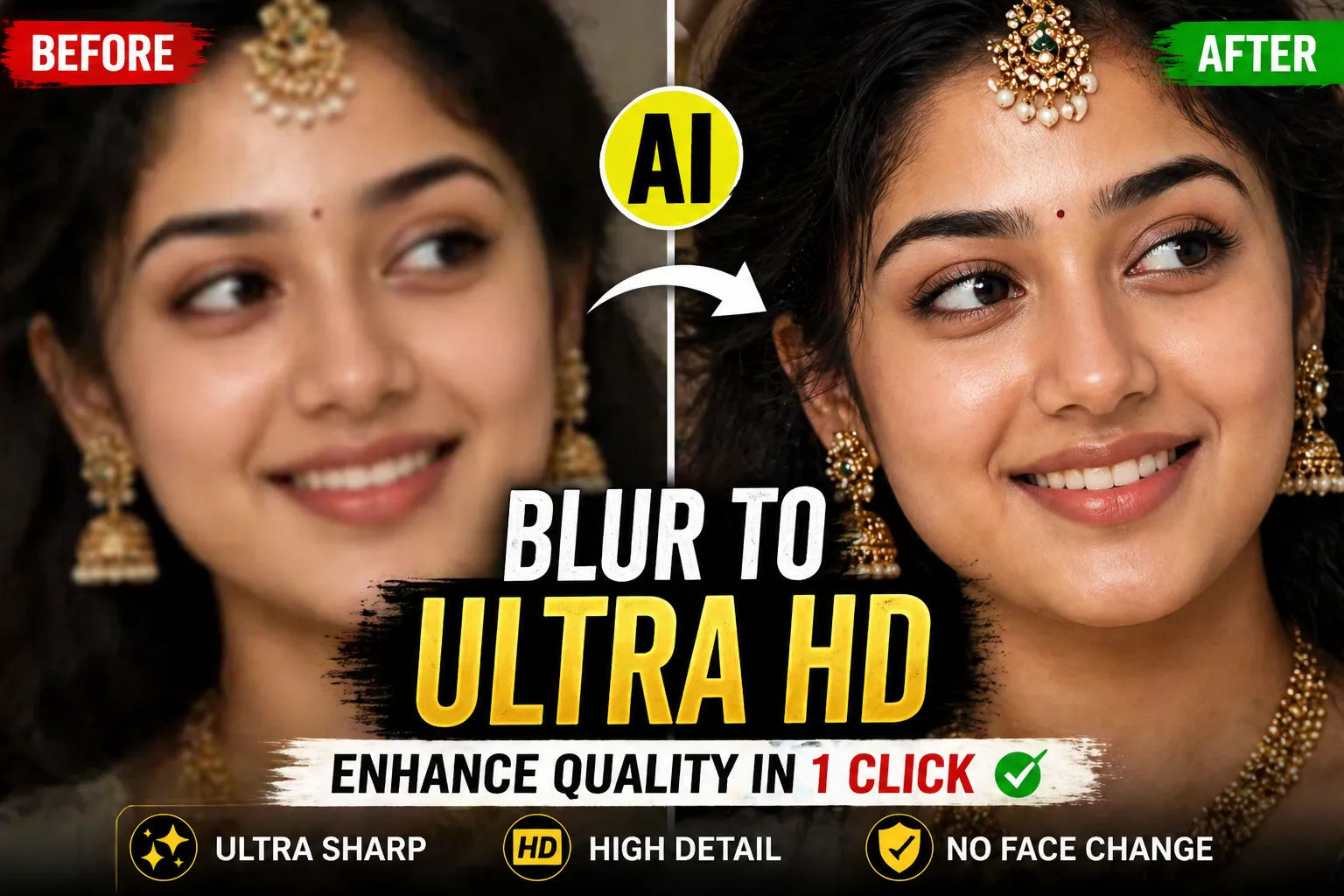
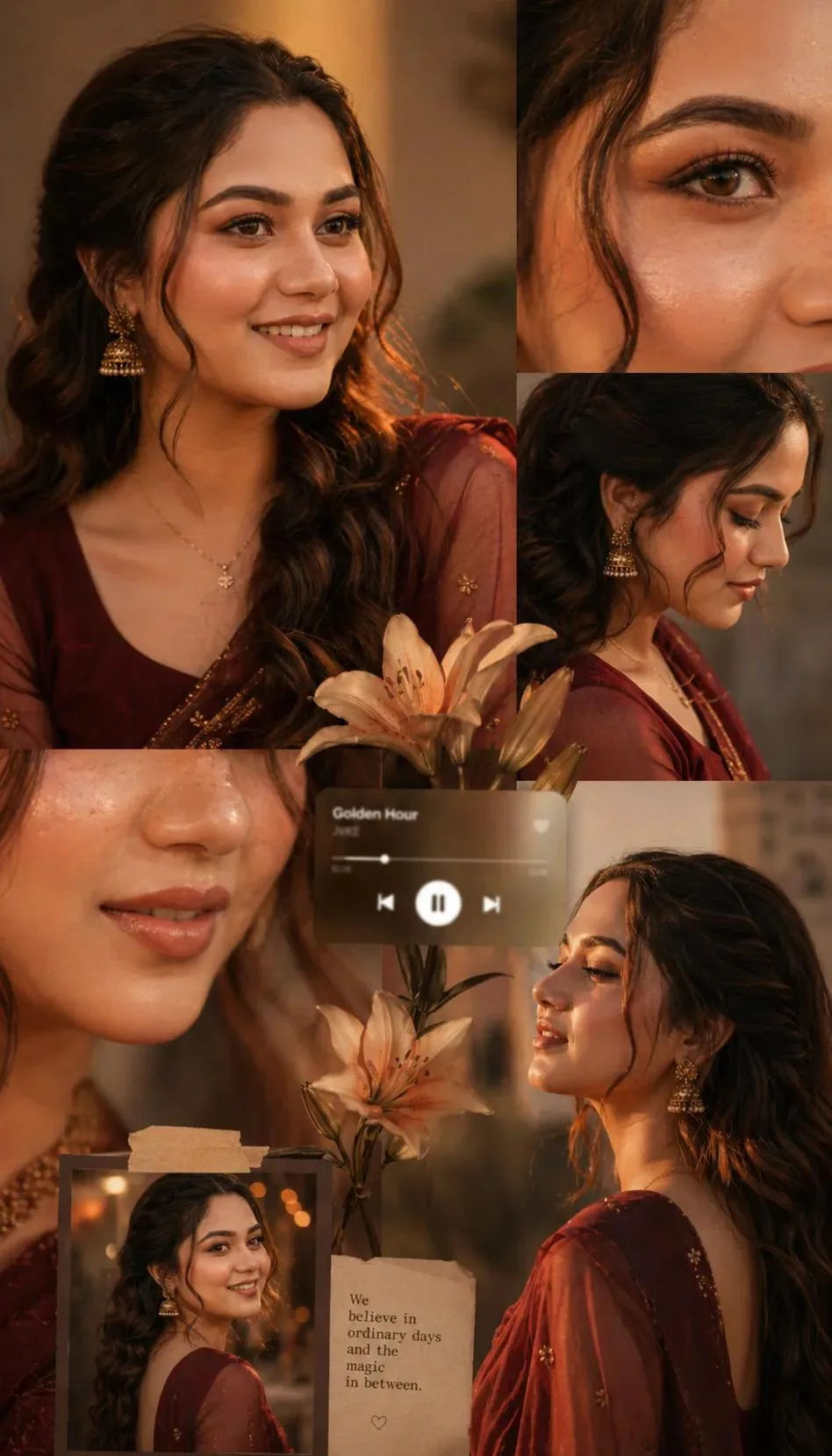
Turn Blurry Images into Ultra HD Reality with This AI Prompt
Enhance the image to ultra-high definition with maximum clarity and realistic detail. Remove blur, noise, grain, color fading, and compression artifacts while preserving the subject's exact identity, proportions, and natural appearance. Restore sharp focus with refined micro-details in skin. hair strands. fabric texture. and backaround surfaces. Maintain authentic skin texture with natural pores and tonal variation, avoiding over-smoothing, artificial sharpening halos, or plastic effects.
Correct color balance to restore natural skin tones and accurate hues while preserving the original mood. Improve exposure, dynamic range, and contrast subtly to add depth and realism without altering the lighting direction Retain the original framing, composition, camera angle, posture, facial expression, background elements. and overall atmosphere.
Hard rule: Do not modify facial structure. facial features, expression, hairstyle, body shape, pose, clothing, age, or identity in any way. The face must remain exactly the same as the original image, only clearer, sharper, and more detailed.
Share this prompt
27
VIEWS
·
6
COPIES
·
2
LIKES

Log in to leave a comment.
More Like This
See all →
How to use this prompt
Want to create something like “Turn Blurry Images into Ultra HD Reality with This AI Prompt”? This Image AI Prompts prompt is tuned for Gemini and gives you a repeatable, high-detail image you can refine to match your own style.
- Tap Copy above to grab the full prompt.
- Open Gemini (or any image AI like Midjourney, DALL·E 3 or Gemini).
- Paste the prompt into the generate box and run it.
- Like the result? Re-roll once or twice and keep your favourite.
Tips & variations
- Tweak the camera/lens cue (“close-up”, “wide shot”) to control the framing.
- Swap the main subject for your own to completely change the scene while keeping the style.
- Change the lighting words (e.g. “golden hour”, “studio”, “moody”) to shift the whole mood.
Frequently asked questions
Edit the descriptive words in the prompt — change the subject, the lighting, the colours or the setting. Small wording changes produce big differences in the final image.
AI models are non-deterministic, so results vary each run even with the same prompt. Generate a few times and pick your favourite, or lock a seed if your tool supports it.
It generates a visual based on “Turn Blurry Images into Ultra HD Reality with This AI Prompt” — part of our Image AI Prompts collection. Use it as-is or as a starting point you customise to taste.
It’s set up for Gemini, and it also works well in Midjourney, DALL·E 3 or Gemini. Image models vary, so try the same prompt in a couple of tools and keep the result you like best.